Start at the official source.
Official website / downloadsNo account details are entered or collected on this website. Complete registration, identity checks and payments only in the official app or service.
Download WeChat
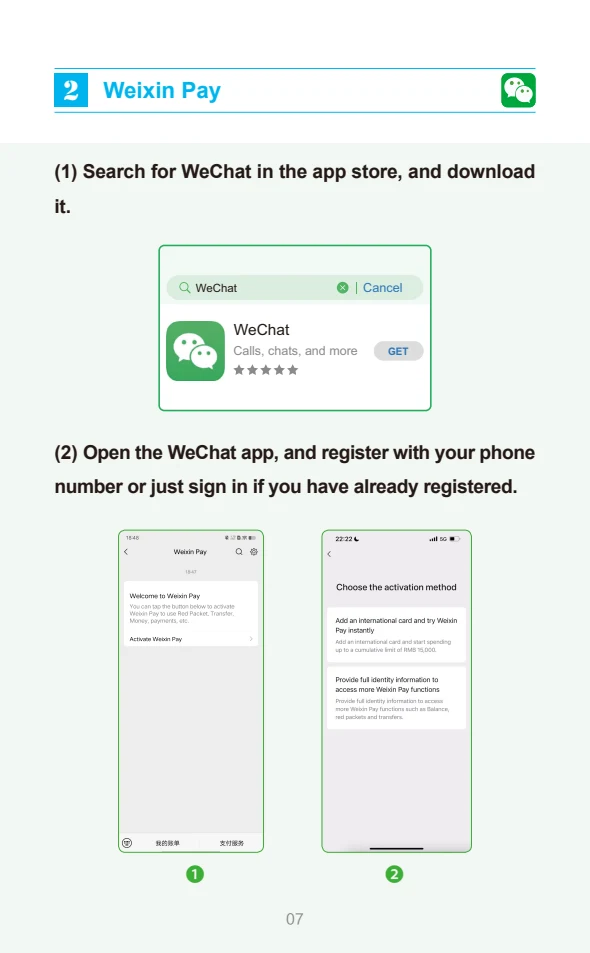
Open the official WeChat website or your phone’s app store and install the genuine app. Choose your preferred interface language.
Sign up and verify
Select Sign Up, choose your country code and enter your own mobile number. Follow the SMS and security checks shown. An additional verification step may be requested; registration is not guaranteed.
Add a contact and try a message
Use the add-contact or Scan function with someone you know. Ask your guide for their WeChat details before departure. In a chat, press and hold a received text message to look for Translate.
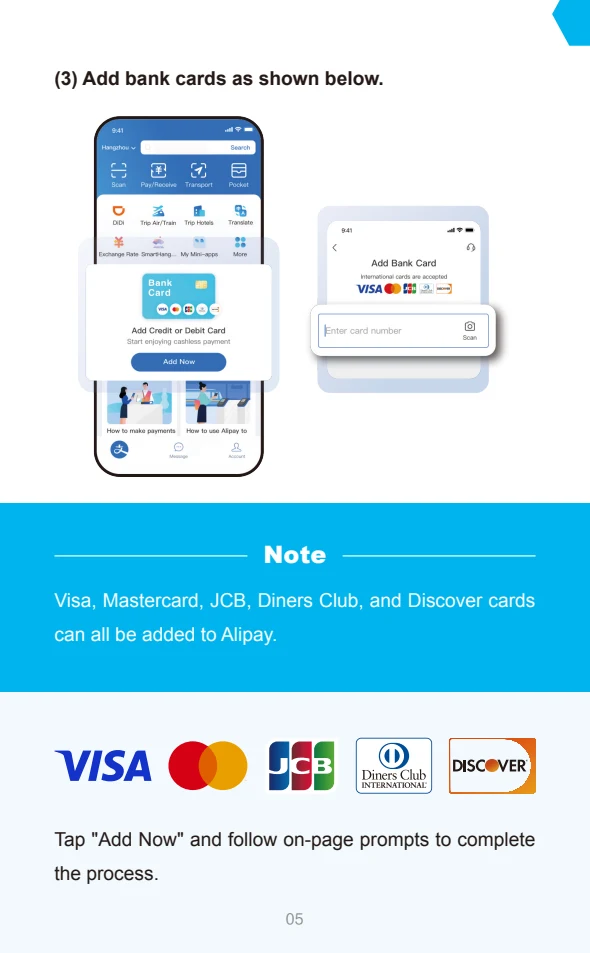
Set up payment separately, if needed
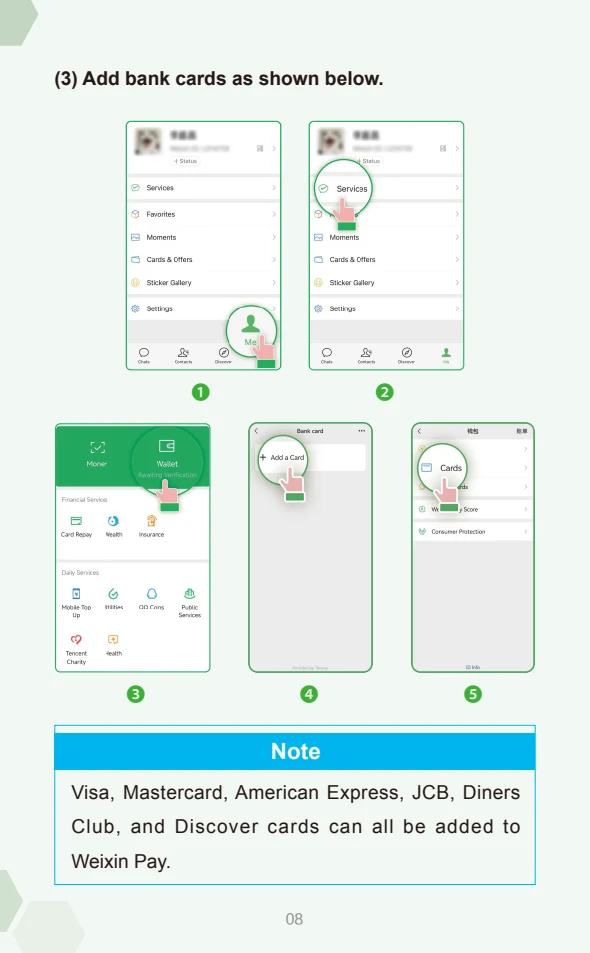
In Me, look for Services and Wallet, then the card option. Complete the identity and bank-card checks shown. Availability and menu names vary; use Tencent’s payment tutorial for your current app.
Watch: getting started with WeChat
Tencent · official tutorial. Open the source page for separate Weixin Pay registration and payment videos.
Open the original video pageIf the player does not load, use the original page above. The video is streamed by its official publisher; playback and language options depend on that source.
Sources & current instructions
Illustrations are dated references, not live app screens. Recheck the official instructions before travel. No affiliation or endorsement is implied.