Start at the official source.
Official website / downloadsNo account details are entered or collected on this website. Complete registration, identity checks and payments only in the official app or service.
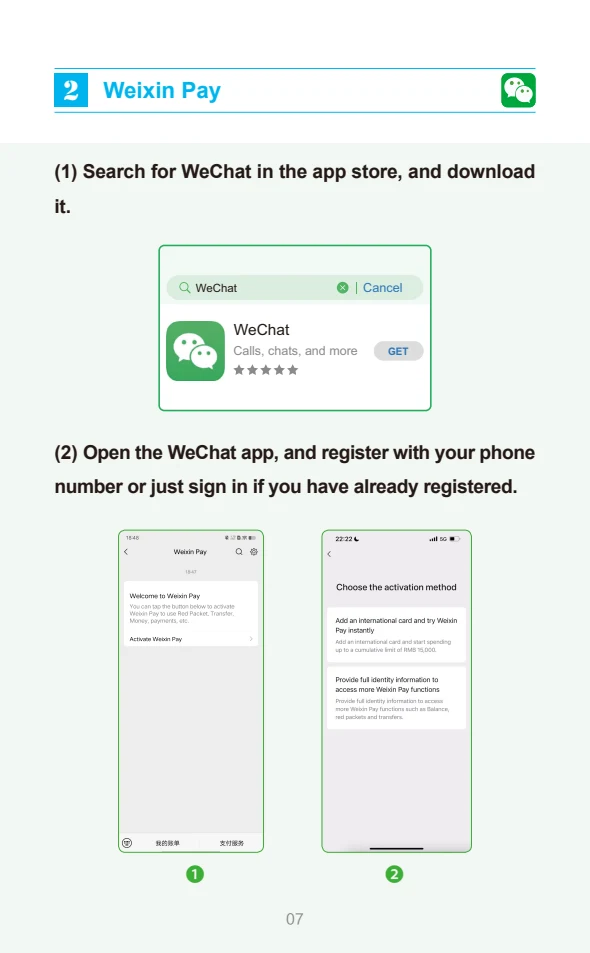
Download the genuine app
Use your phone’s App Store or Google Play, or the official Alipay website. Search for Alipay and check the publisher. Install and select English if offered.
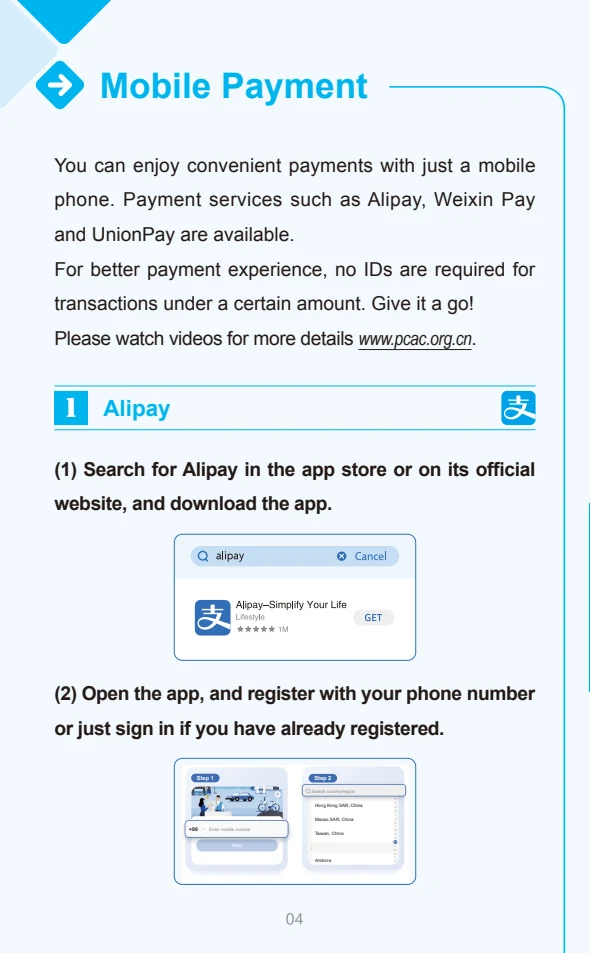
Register with your phone
Choose your country code and enter a phone number you control. Receive the SMS and follow the registration prompts. Keep that number reachable during your journey.
Add your international card
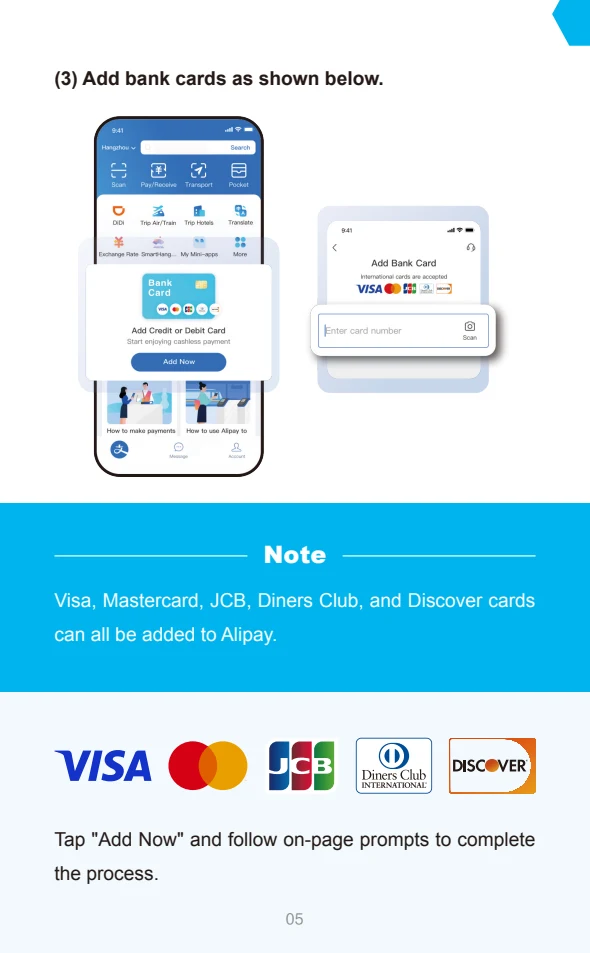
Look for Add Bank Card on the home screen, or Bank Cards in your account area. Enter the card details inside Alipay, then complete any verification requested by Alipay or your bank.
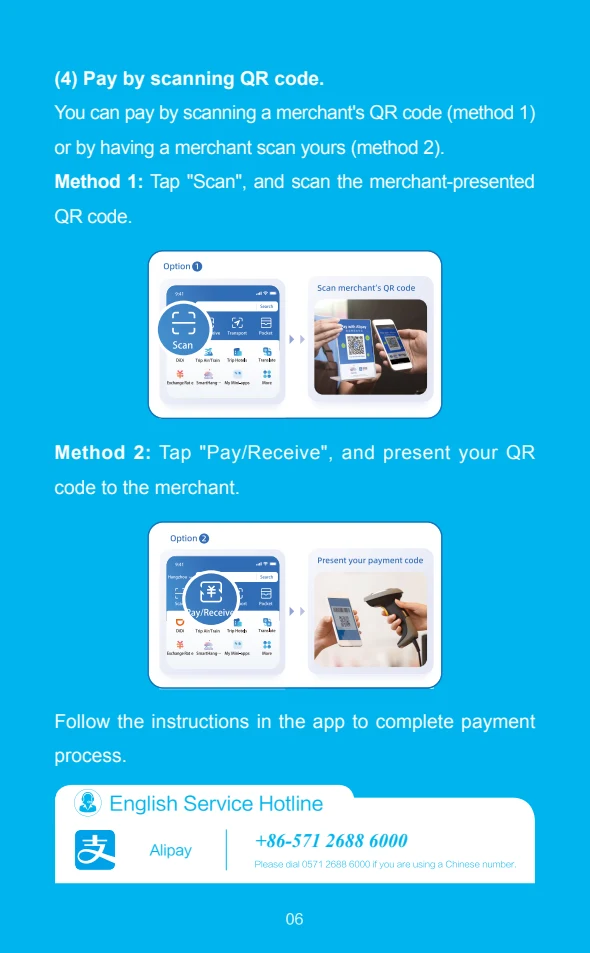
Understand the two ways to pay
Scan reads the merchant’s code; Pay presents your payment code to the cashier. Check the merchant, amount and selected card before confirming. Review any fee shown in the app.
Watch: mobile payment setup
Beijing government · published December 2024. Includes Alipay and WeChat Pay. Interfaces may have changed.
Open the original video pageIf the player does not load, use the original page above. The video is streamed by its official publisher; playback and language options depend on that source.
Sources & current instructions
- Shanghai government · international card guide
- Official payment guide · illustrated reference
- Beijing government · payment tutorial video
Illustrations are dated references, not live app screens. Recheck the official instructions before travel. No affiliation or endorsement is implied.